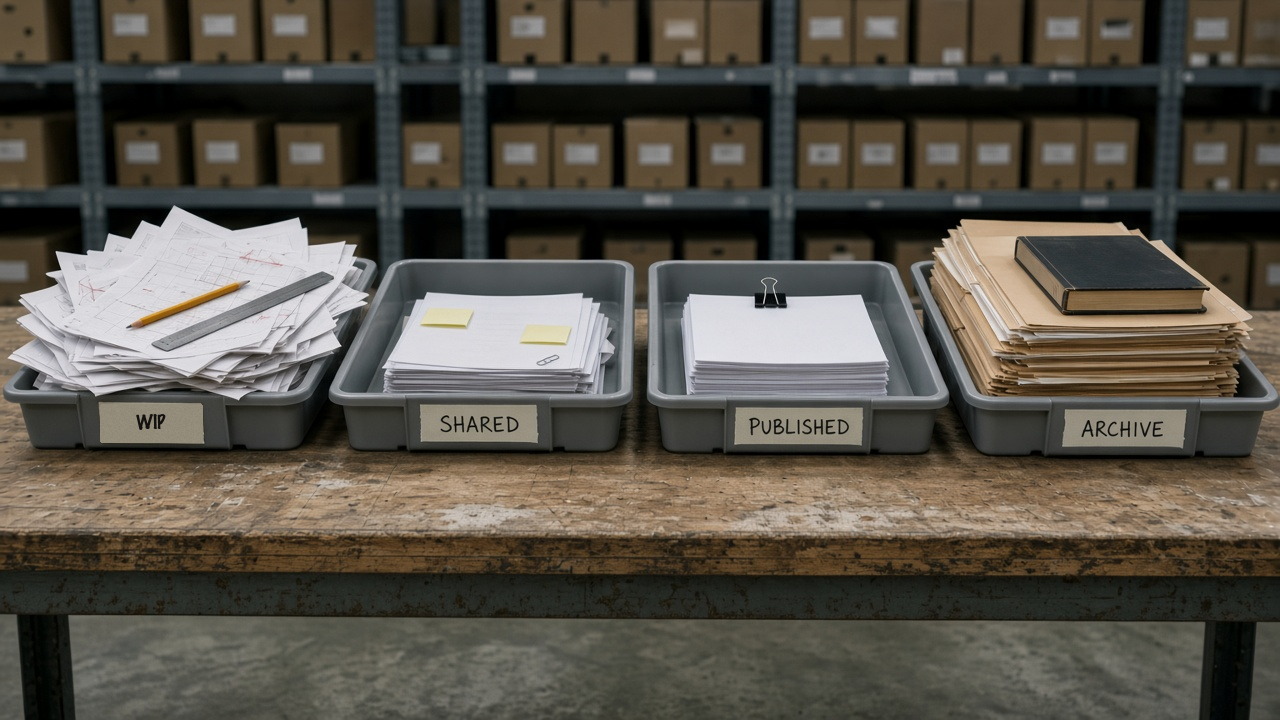
Open almost any project directory and the four states are already sitting there in capitals: WIP, SHARED, PUBLISHED, ARCHIVE. Somebody built that tree in week one and felt the standard had been honoured. Then a site engineer rings the document controller to ask whether he can set out from the sheet that arrived an hour ago, and the four folders turn out to have no opinion on the question.
A CDE state is not a location. It is a claim attached to an information container — who may write to it, what everyone else may do with it, and which recorded gate moved it here. Work in progress, shared, published and archive are the four claims ISO 19650-1 draws as a workflow. Folders can carry those claims perfectly well, provided something enforces them. Where a container sits in two states at once and nobody notices, the enforcement has gone missing, and what remains is a directory tree with encouraging names.
State and status are two different facts
Status codes — S0, S1, A3 — are how the UK National Annex tells a recipient what a container is for. State is the larger fact underneath: where in the workflow the container sits, who may change it, and whether anyone may build from it. A suitability code on a file that no gate ever touched is a letter in a filename. Both have to be true of the same container for either to carry weight, which is why the states come first and the codes after.
Three questions to put to a live container
Pick something live and write the answers down — not "we use a CDE", but the actual answers, for that container, today.
- Who is allowed to write to this container in its current state?
- What use does that state authorise, and what does it forbid?
- Which recorded gate moved it here, and who performed it?
If the only place those answers exist is a folder name, you are reading furniture rather than metadata.
The four states in sequence
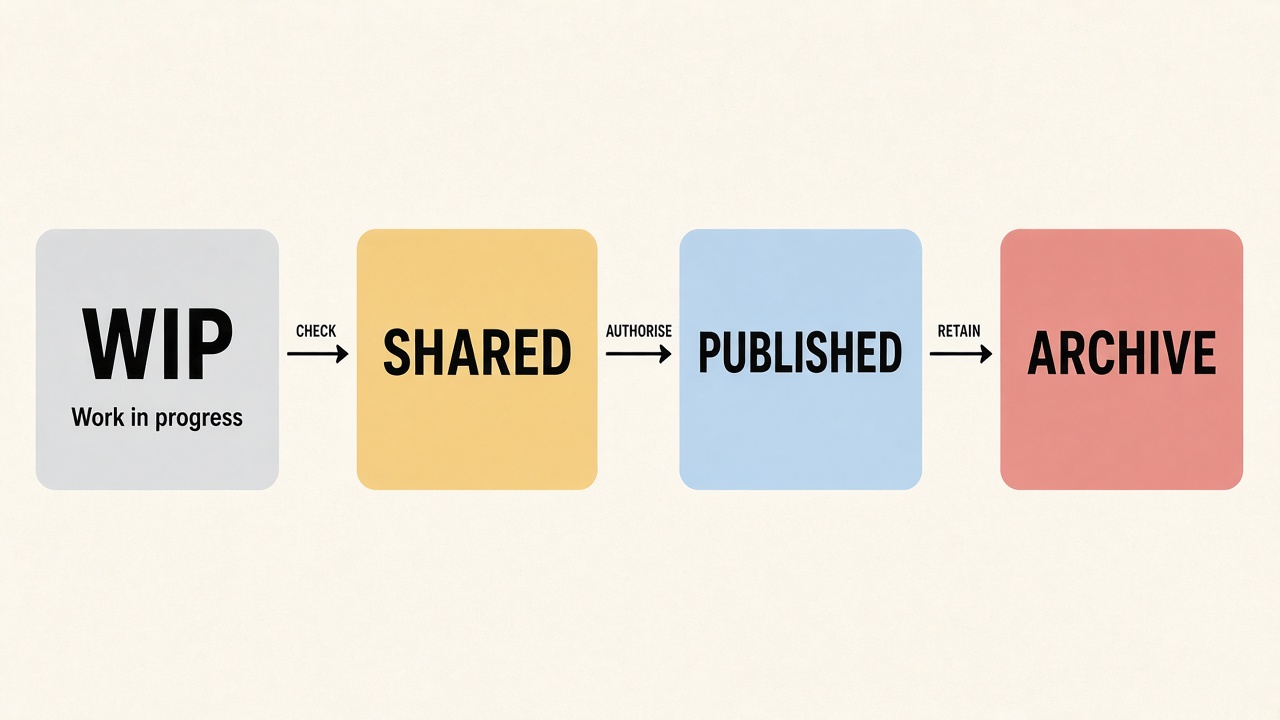
ISO 19650-1 Figure 10 — the figure the UK BIM Framework reprints as the CDE concept — shows a sequence rather than a set of cupboards. Information is developed in work in progress, approved for sharing, then authorised for a stated use, and archive is the journal recording the transactions. Between WIP and Shared sits a task-team check, review and approval. Between Shared and Published sits review and authorisation by the lead appointed party, then acceptance by the appointing party. Containers cycle round WIP and Shared more than once, often many times. Some never become Published at all. Archive runs continuously alongside the rest; it is not a box you open at practical completion.
Work in progress
WIP is information being developed by its originator or task team. ISO 19650-1 is blunt about access: it is not visible to, or accessible by, anyone else.
Who may write. Only the originating task team. Authors produce, save, revert and discard inside that boundary. Other task teams do not open WIP to coordinate. The appointing party does not review it. I have sat in a progress meeting where a coordinator explained, quite cheerfully, that he had been having a look at another consultant's WIP area to get ahead of the next drop. He meant well by it. He was also describing a shared drive that had borrowed the name.
What it authorises. Development, and nothing beyond it. The UK National Annex marks this with status S0: initial status, not yet suitable to be shared outside the task team. WIP does not authorise coordination, comment, procurement or construction, and nobody may rely on the geometry, the note or the schedule. A WIP revision in the National Annex scheme is a preliminary revision carrying a version — P01.01, P01.02 — so the author can watch the container evolve before anybody else is allowed to see it.
The gate out. Check, review and approve, inside the task team. The container is reviewed against the project information standard — the wrapper: naming, metadata, completeness — and the contents reviewed for coherency. Only then does it go to Shared, with a status naming the use. There is no honest route from an unchecked WIP file to a use other people rely on.
Shared
Shared is information approved for sharing with other appropriate task teams, delivery teams, or the appointing party. It remains preliminary, and UK practice treats the Shared state as non-contractual.
Who may write. The originating task team still owns the container. Recipients read it, comment on it, coordinate against it. They do not edit the file in place. When a comment lands and something has to change, the native information goes back to WIP and a new Shared revision follows. Handing write access to everyone on the project collapses author and reviewer into a single access list.
What it authorises. Only the use the status code names. S1 is suitable for coordination. S2, for information. S3, for review and comment. S4, for stage approval. S6, for project information model authorisation. S7, for asset information model authorisation. Each code is a sentence about purpose and, by extension, about what the container must not be used for. Shared does not authorise construction, agreeing contract costs, or procuring materials. A drawing at S3 is there to be commented on, not built.
Getting that across is a fair chunk of a document controller's week, and the wording is worth rehearsing, because "it's been shared" and "it's been approved" sound close enough at half four on a Friday to do real damage.
The gate out. Review and authorise. The lead appointed party reviews the information model against the appointment. The appointing party accepts it against the exchange information requirements. Only after that sequence may the container become Published. Nothing matures into Published by sitting in Shared long enough.
Plenty of containers never leave Shared, and there is nothing wrong with that. A structural geometrical model used only for coordination may stay preliminary for the life of the job. Publishing everything is not the objective; publishing the containers that have to be relied on for a contractual purpose is.
Published
Published is information authorised for use in more detailed design, for construction, or for asset management. It is contractual. In UK practice you recognise it by an authorised-and-accepted status — A1, A2, A3 and so on for the stage — and by a C prefix on the revision, which distinguishes contractual contents from the preliminary P revisions that sat in Shared.
Who may write. Nobody edits a Published container in place. Authorisation is a fact about one particular revision, not a licence to carry on saving over it. If the design changes, the work restarts as WIP, cycles Shared as required, and a later revision is authorised. Overwriting Published loses the very thing just authorised.
What it authorises. The stated authorised use, and only that use. A3 means authorised and accepted for Stage 3 purposes, and it becomes reference information for the next stage's WIP. Issued for construction is a Published act with a status that says so. The folder people plot from does not become Published by being the folder people plot from.
The gate in. Two names, in that order: the lead appointed party authorises, the appointing party accepts. Skip either and you have uploaded a file.
Archive
Archive is the journal of information transactions — the audit trail of how a container developed, through WIP versions, Shared revisions, Published issues and the superseded set.
Who may write. Nobody. Archive is not a fourth working area, not a quiet place for something you would rather people stopped opening, and not a drawer you tidy by deleting last month. Writers work in WIP, reviewers read Shared, the authorised set lives in Published, and Archive records that all of that happened.
What it authorises. Historical evidence — the answer to "what was true of this container on a named date?" A superseded Published revision belongs in the journal, so that a claim, a golden-thread enquiry or a handover can still see the issue as it stood at the time. It does not belong on the plotter, behaving as though it were current.
The gate is continuous. The UK BIM Framework draws archiving running alongside the other three states rather than bolted on at the end. Every transition should leave a record. A CDE that only archives at practical completion has no journal for Tuesday.
What breaks when a state is skipped
The states work as a sequence with gates between them. Skip one and you do not get a faster version of the same process. You get a different, unmanaged object wearing the next state's name.
WIP skipped. An unchecked file lands in Shared and other teams start coordinating against it. It never passed the internal check against the information standard, so comments arrive on a wrapper that is already wrong. The originating team then fixes it in Shared, which leaves no authoring boundary and no WIP version history to revert to. Shared has quietly become a second WIP with an audience.
Shared skipped. WIP goes straight to Published. Nobody outside the task team coordinated against it, the lead appointed party never authorised a preliminary issue, and the appointing party is asked to accept a file that has not been reviewed. Clashes that Shared exists to find turn into contractual facts instead, and site inherits a construction issue that was never a coordination issue.
Published skipped. The site builds from Shared. The status still reads S1 or S3, the revision is still preliminary, and the container was never authorised or accepted. This is the ordinary route from a coordination model to a poured slab, and rather more common than progress reports suggest. In a dispute the folder named Published will not save you: the container the site used was Shared, and Shared is non-contractual by design.
Archive skipped. A later revision overwrites the earlier one, or somebody clears out old files to save space, and the journal is gone. Nobody can say what was in Published for this package on a named date. The superseded sheet stays on a wall, in a cabin, in an inbox, with nothing recording that it was retired, and claims, adjudications and golden-thread questions then ask for a contemporaneous file the project no longer holds.
Where a container occupies two states at once — a WIP copy on a laptop, a Shared copy in the portal, a plotted sheet treated as though it were Published — there are not four states in operation, only three unofficial sets and an account of a CDE that nobody has tested.
A test you can run on Monday
Pick one live container that site might build from.
- Name its current state. If the answer is a folder title rather than metadata on the container, stop there.
- Name who may write to it in that state. "Anyone with access" is not a state.
- Name the use it authorises, in a sentence a site engineer could refuse work on. "S3 — review and comment, not construction" is such a sentence. "It's in Shared" is not.
- Name the gate that moved it here, the role who performed it, and the date. If that has to be reconstructed from email, the gate did not really happen.
- Ask what was in Published for this container last Tuesday, and what sits in Archive. An empty Archive means last Tuesday has already been overwritten.
- Follow one skip — a file that went from WIP to "issued", or a Shared sheet that got plotted — and write down what the missing state would have forbidden.
Half an hour, one container, no consultant required. The ones that fail those questions are the ones the plotter will print this afternoon anyway.
Making the states hold
The states are easy to describe and awkward to enforce, and the awkward part is where the money sits. Two changes shift the odds, and neither is a purchase. Make state a property of the container rather than of its location, so that dragging a file somewhere cannot alter what it authorises — most platforms will do this, but somebody has to configure the workflow and then defend it against the first person who wants an exception, and that defence is the real cost. Then write the gates into the BIM execution plan as named roles rather than a diagram: who checks, who authorises, who accepts, by when. Hold the first few to that wording while the programme is still calm enough to allow it, because nobody has ever tightened a gate in the week before a stage deadline.
The appointing party holds the leverage on the rest. At tender, ask each bidder to walk you through one container's full history on a live job of their own: the WIP versions, the Shared revisions with their status codes, the authorisation and the acceptance with names and dates attached, and the superseded set still readable. Twenty minutes of that is worth more than any amount of CDE policy in a submission, and whoever cannot do it will hand you the difference at the end of the job — in a claim, in a handover, or in a golden-thread request.
Read next: What ISO 19650 actually requires of a common data environment, clause by clause, Monthly Register — November 2024, Everyone says they have a CDE. Most have a shared drive with permissions..